For details on how Trunk collects, manages, and stores your data, see our Security and Privacy page.
1. Configure Slack webhooks
Trunk uses Svix to integrate with other services, such as Slack, through webhooks. You can add the new Slack Webhook URL to Svix by following these steps:- Login to Trunk Flaky Tests
- From your profile on the top right, navigate to Settings
-
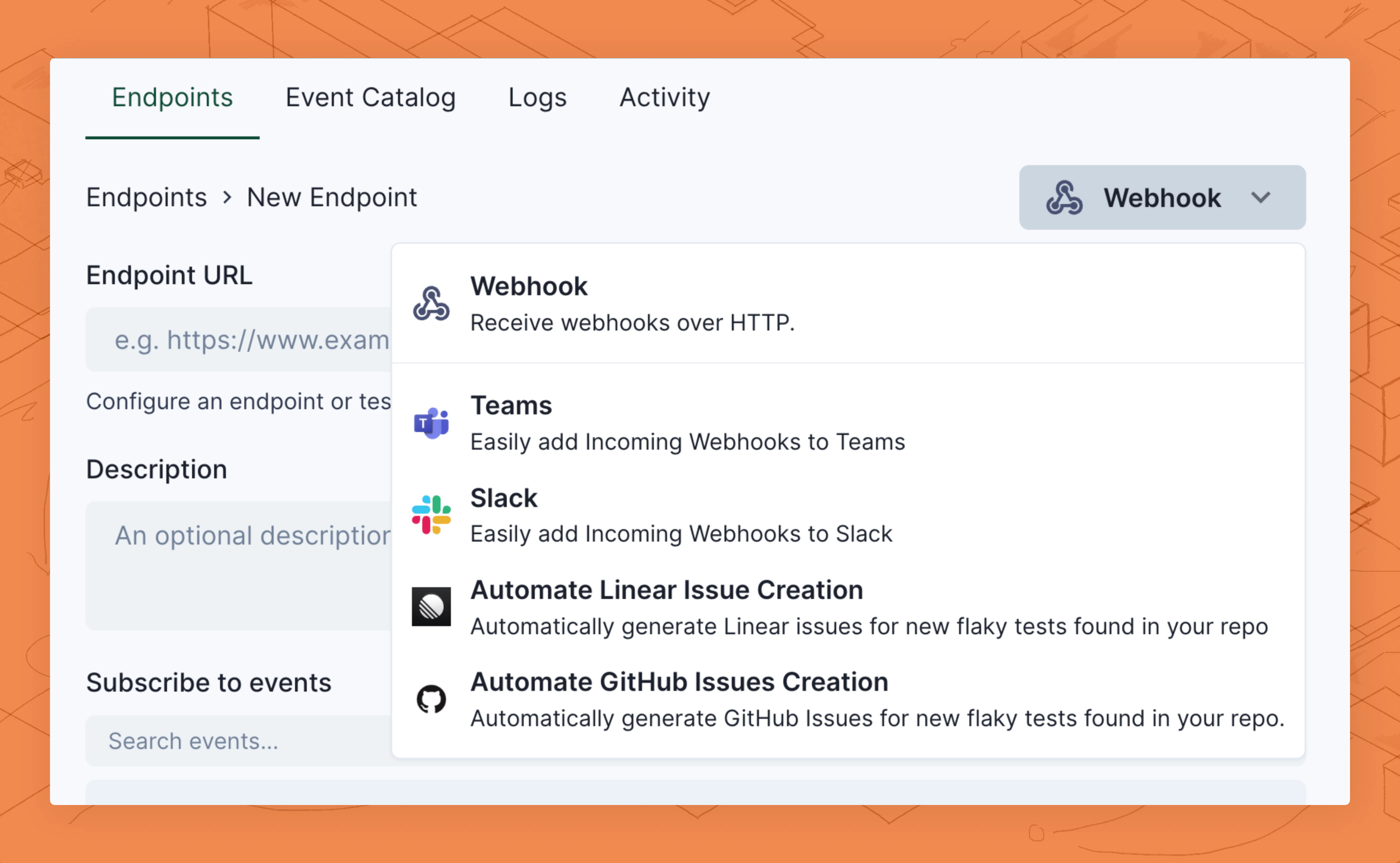
Under Organization > Webhooks, click Slack
-
Click Connect to Slack and select the server and channel to connect to.
.png?fit=max&auto=format&n=hc5G1ibQenboGuiS&q=85&s=e5e23f5345920654f290b578e591c343)
- Review the transformation code automatically generated for Slack messages. You can customize this transformation at any time. Learn more about customizing transformations.
-
By default, this connection will send messages about Trunk Merge and Flaky Tests events. If you only want Flaky Tests events, unselect all events other than
v2.test_case.status_changed. - Create the new endpoint. You will be redirected to the endpoint configuration view.
2. Customize your transformation
Transformations are custom code snippets you can write to customize the Slack messages sent by the webhook. A working template transformation will be added automatically for your webhook, but you can further customize the behavior of this webhook.- In the endpoint configuration view, navigate to the Advanced tab. Under Transformation, toggle the Enabled switch.
- Click Edit transformation to update your transformation code, and click Save to update the transformation.
- You can test the transformation by selecting the
v2.test_case.status_changedpayload and clicking Run Test. This will test the transformation but not send a message. You will learn to send a test message in step 3.
3. Test your webhook
You can send test messages to your Slack channels as you make updates. You can do this by:- In the endpoint configuration view, navigate to the Testing tab and select a Send event
- Under Subscribed events, select
v2.test_case.status_changedas the event type to send. - Click Send Example to test your webhook
4. Monitoring webhooks
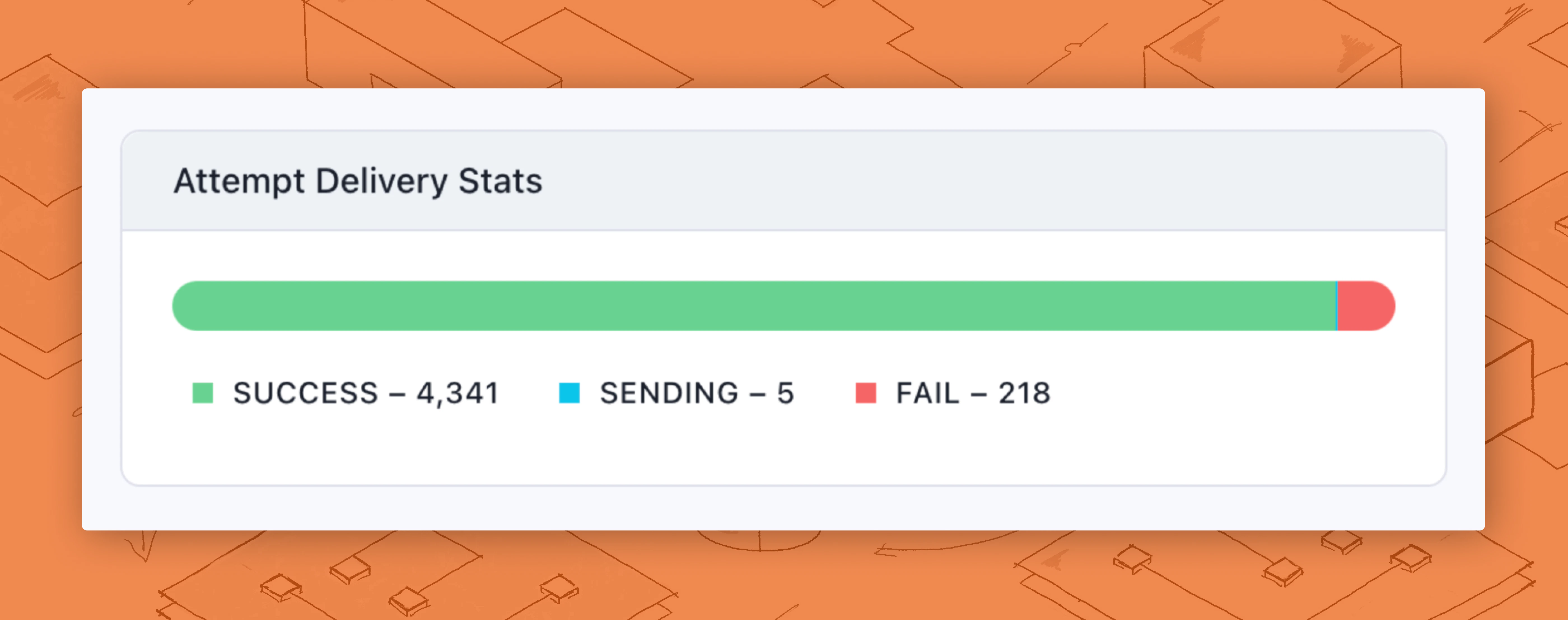
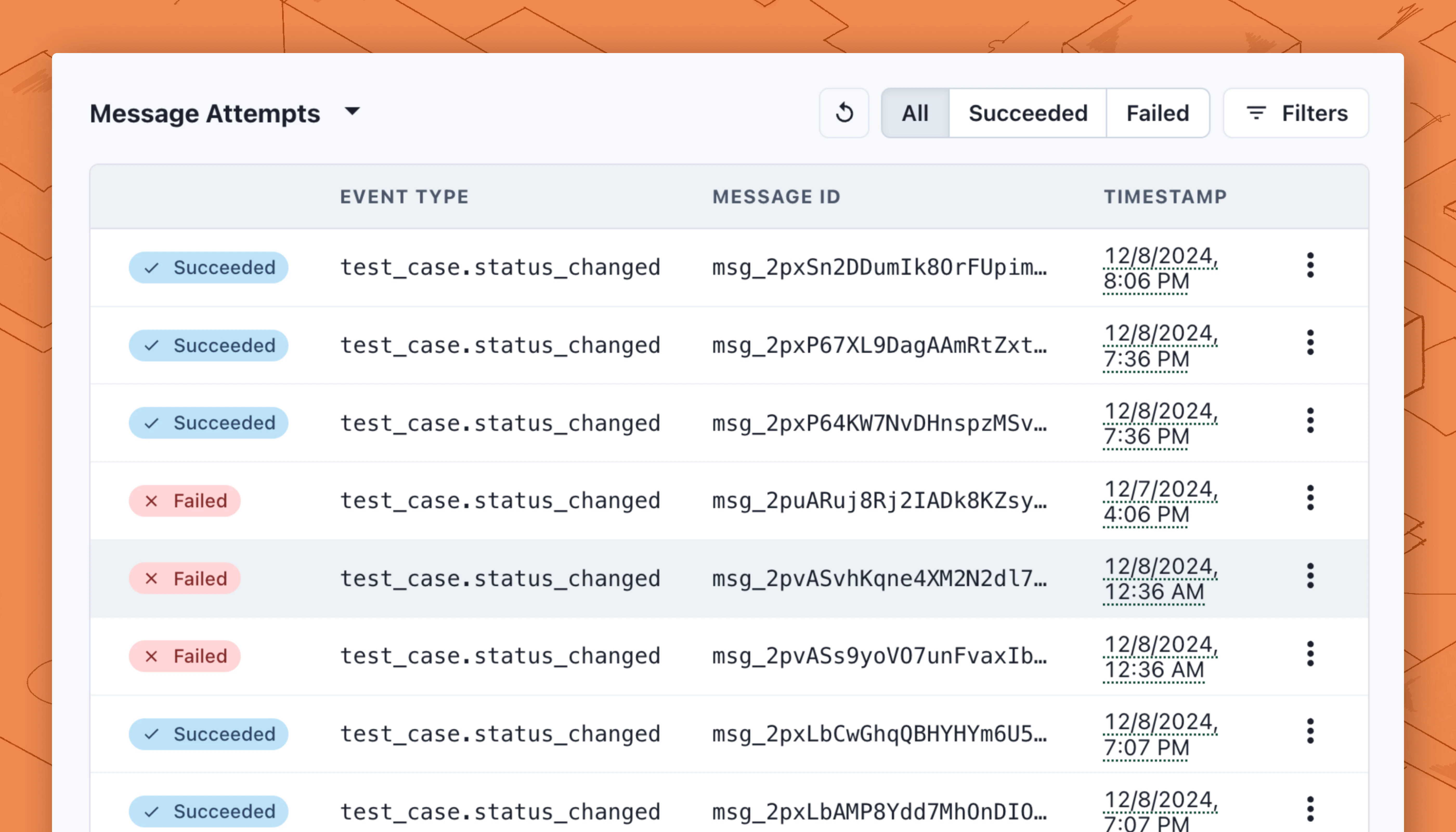
You can monitor the events and the webhook’s delivery logs in the Overview tab of an endpoint configuration view. You can see an overview of how many webhook deliveries have been attempted, how many are successful, how many are in flight, and how many fail in the Attempt Delivery Status modal.